Skip to content
Customer feedback

Google Review QR Code Generator

Create a free Google review QR code or connect customers to Facebook, Trustpilot, TripAdvisor and custom feedback pages. Customize and download it without signup.

1

Add your review link

Open your review form or business review page and paste its complete URL.

2

Customize the QR code

Choose shapes, eye frames, colors, a center logo and a sticker.

Ready to create your Review QR code?The QR opens your Review destination directly.
Practical guide

About the Google Review QR Code Generator

This tool turns Google and other review links into a scannable route to the Google, Facebook, Trustpilot, TripAdvisor or custom review page selected for your business. Put a review QR on a receipt so a recent customer can reach the correct feedback form.
Before generating: Paste the direct review link so customers have as few steps as possible. Link directly to the intended review step and test it without an administrator account.

A practical example

Where this QR code is useful

Put a review QR on a receipt so a recent customer can reach the correct feedback form.

Good fit
Google reviews, hospitality feedback, service follow-ups and testimonials.
Important limitation
The tool cannot guarantee a review or control a third-party platform’s form and policies.
If it does not work
Link directly to the intended review step and test it without an administrator account.
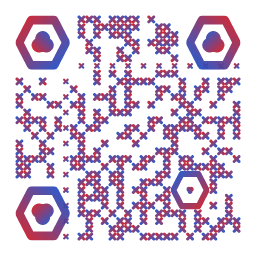
Example customized output from the Google Review QR Code Generator
Example output previewUse this as a visual reference. Always scan-test your own downloaded QR because its content, density, colors and print size will be different.

Publish a reliable Google Review QR Code Generator

  1. Prepare the content. Paste the direct review link so customers have as few steps as possible.
  2. Match the setting. This format works especially well for google reviews, hospitality feedback, service follow-ups and testimonials.
  3. Respect the limitation. The tool cannot guarantee a review or control a third-party platform’s form and policies.
  4. Verify the result. Link directly to the intended review step and test it without an administrator account.

Frequently Asked Questions

What should I check before creating this code?

Paste the direct review link so customers have as few steps as possible. Then confirm that it opens the Google, Facebook, Trustpilot, TripAdvisor or custom review page selected for your business exactly as a scanner will see it.

Where is this type of QR code most useful?

Google reviews, hospitality feedback, service follow-ups and testimonials. The printed label should tell people what will happen after they scan.

What is the main limitation?

The tool cannot guarantee a review or control a third-party platform’s form and policies.

What should I do if it does not scan?

Link directly to the intended review step and test it without an administrator account.

Learn before publishing

Related practical guides

Google review QR code guide. Use these field-tested checks to plan placement, content and scan testing.