Skip to content
Telegram sharing

Telegram QR Code Generator

Create a QR code for a Telegram username, channel, group, bot or post and make it easy to open from print and digital displays.

1

Add your Telegram link

Enter a Telegram username or paste its complete link.

2

Customize the QR code

Choose shapes, eye frames, colors, a center logo and a sticker.

Ready to create your Telegram QR code?The QR opens your Telegram destination directly.
Practical guide

About the Telegram QR Generator

This tool turns Telegram destinations into a scannable route to a Telegram profile, group, bot or channel. Use a Telegram QR at an event to help attendees join the official announcement channel.
Before generating: Use the correct public Telegram link and check its permissions. Confirm the invitation in a signed-out session and replace revoked invite links with a new QR.

A practical example

Where this QR code is useful

Use a Telegram QR at an event to help attendees join the official announcement channel.

Good fit
Channels, groups, bots, posts and public usernames.
Important limitation
Invite links can expire or be revoked, and private destinations may require approval.
If it does not work
Confirm the invitation in a signed-out session and replace revoked invite links with a new QR.
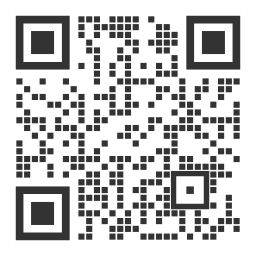
Example customized output from the Telegram QR Generator
Example output previewUse this as a visual reference. Always scan-test your own downloaded QR because its content, density, colors and print size will be different.

Publish a reliable Telegram QR Generator

  1. Prepare the content. Use the correct public Telegram link and check its permissions.
  2. Match the setting. This format works especially well for channels, groups, bots, posts and public usernames.
  3. Respect the limitation. Invite links can expire or be revoked, and private destinations may require approval.
  4. Verify the result. Confirm the invitation in a signed-out session and replace revoked invite links with a new QR.

Frequently Asked Questions

What should I check before creating this code?

Use the correct public Telegram link and check its permissions. Then confirm that it opens a Telegram profile, group, bot or channel exactly as a scanner will see it.

Where is this type of QR code most useful?

Channels, groups, bots, posts and public usernames. The printed label should tell people what will happen after they scan.

What is the main limitation?

Invite links can expire or be revoked, and private destinations may require approval.

What should I do if it does not scan?

Confirm the invitation in a signed-out session and replace revoked invite links with a new QR.