Skip to content
Location workflow

How to create a QR code for a Google Maps location

Use the public share link for the exact place, business or dropped pin rather than a search-results page that may show several locations. Open the link on another phone and confirm the business name, street, map pin and entrance before generating the QR code.

  1. Open Google Maps and select the exact place or dropped pin.
  2. Choose Share, then copy the public Google Maps link.
  3. Paste the link into the location QR code generator above.
  4. Customize the QR pattern, color, logo and optional directions frame.
  5. Generate the code, scan-test it and download PNG or PDF.

Place link or directions link: which should you use?

Link typeBest forCheck before printing
Business or place linkStores, offices, restaurants and public venuesThe correct name, branch, address and map pin appear.
Dropped-pin linkEntrances, meeting points, parking areas and outdoor locationsThe pin marks the exact arrival point rather than only the general property.
Directions linkEvents and journeys with a chosen destinationThe destination is correct and the scanner can choose their own starting point.

How to avoid sending visitors to the wrong location

Businesses with similar names or multiple branches should verify the branch and postcode in a private browser window. For a large venue, print a short note such as “North entrance” or “Visitor parking” beside the code. Keep a readable street address as a fallback for people who cannot scan.

For local-business placement examples, read Google Maps QR codes for local businesses. Event teams can pair the map code with the separate event check-in workflow, while restaurants can add directions alongside the Menu QR Generator.

Practical guide

About the Location QR Code Generator

This tool turns Google Maps locations into a scannable route to a map pin, business, venue or directions page. Print a map QR on an invitation so guests can open the exact venue and directions.

Before generating: Find the correct location, copy its Google Maps share link and verify the destination before downloading. Open the link while signed out and confirm the pin, business name and entrance instructions.

A practical example

Where this QR code is useful

Print a map QR on an invitation so guests can open the exact venue and directions.

Good fit
Events, stores, offices, hotels and delivery locations.
Important limitation
A search-results URL can change or point to the wrong branch; a direct place-share link is safer.
If it does not work
Open the link while signed out and confirm the pin, business name and entrance instructions.
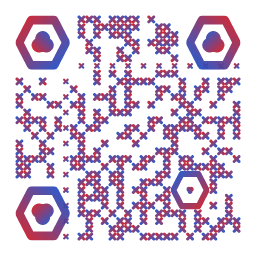
Example customized output from the Location QR Code Generator
Example output previewUse this as a visual reference. Always scan-test your own downloaded QR because its content, density, colors and print size will be different.

Publish a reliable Location QR Code Generator

  1. Prepare the content. Find the correct location, copy its Google Maps share link and verify the destination before downloading.
  2. Match the setting. This format works especially well for events, stores, offices, hotels and delivery locations.
  3. Respect the limitation. A search-results URL can change or point to the wrong branch; a direct place-share link is safer.
  4. Verify the result. Open the link while signed out and confirm the pin, business name and entrance instructions.

Frequently Asked Questions

How do I create a QR code for a Google Maps location?

Open the exact place or dropped pin in Google Maps, choose Share, copy the public link and paste it into the generator. Generate the QR code, then scan-test the destination before downloading.

Can I create a QR code for a dropped pin?

Yes. Select the dropped pin in Google Maps and copy its public share link. Confirm the pin marks the intended entrance, meeting point or parking area before creating the QR code.

Should I use a place link or a directions link?

Use a place link when visitors should open a business or venue listing. Use a directions link when the intended action is navigation to a specific destination.

Does a Google Maps QR code expire?

The static QR code does not have an expiry date, but it depends on the encoded Google Maps link remaining valid. Test important printed codes periodically.

Why does my QR code open the wrong location?

The copied link may refer to a search result, similarly named branch or general property. Copy the share link from the exact place or dropped pin and test it while signed out.

Learn before publishing

Related practical guides

Google Maps QR codes for local businesses. Use these field-tested checks to plan placement, content and scan testing.