Museum Exhibit QR Codes: Add Context Without Adding Clutter
Design exhibit QR experiences that offer deeper stories, accessible formats and translations while preserving a calm gallery visit.
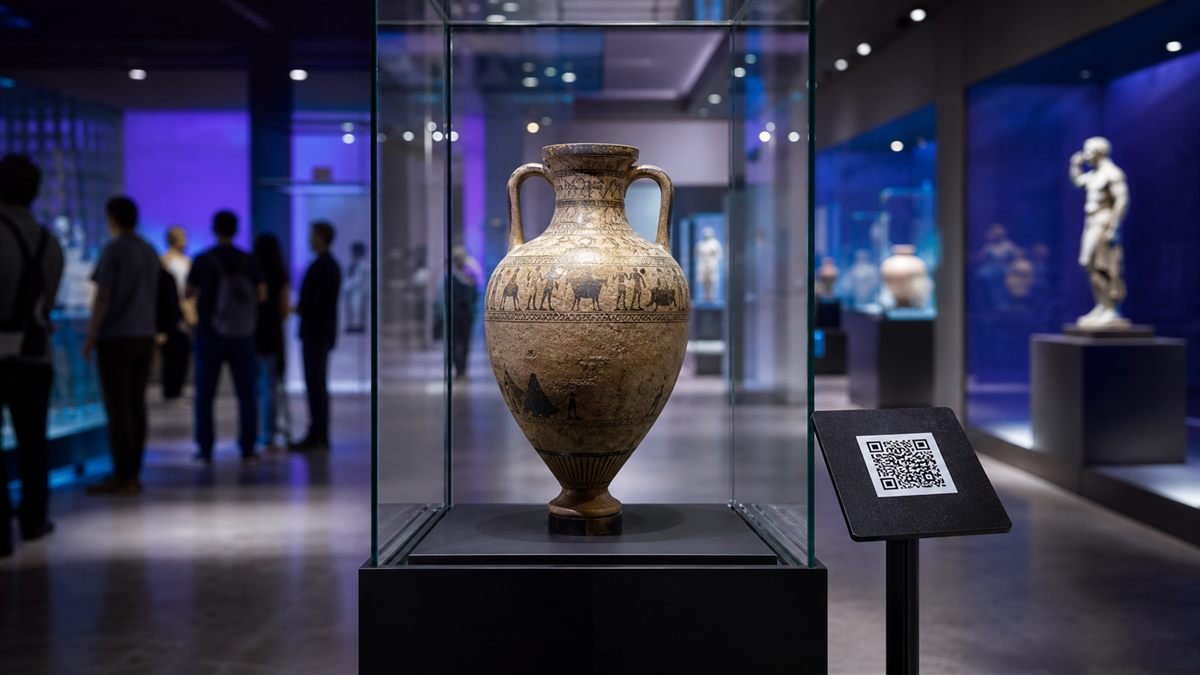
A museum QR code should invite exploration, not create a test visitors must pass. The object label needs to remain meaningful even when a phone is unavailable.
Offer depth, not a duplicate label
Use the digital page for material that benefits from the format: oral history, close-up images, a transcript, translation or a curator’s explanation. Repeating the same short wall text gives little reason to scan.
Set it up step by step
- Identify one audience need the digital layer can serve.
- Create a lightweight page with a clear title and short opening summary.
- Provide captions, transcripts and language choices where possible.
- Label the QR with the content type and approximate length.
- Test placement with visitors of different heights and mobility needs.
Make the experience comfortable for people
Avoid autoplay in quiet galleries. Make controls keyboard accessible, provide transcripts and consider a loan device or printed alternative. Do not assume every visitor has mobile data.
Common mistakes to avoid
- Using unexplained codes throughout the gallery.
- Sending visitors to a desktop collection database.
- Placing the code too low, too high or behind reflective glass.
- Removing essential provenance from the physical label.
Know the limitation
Digital interpretation needs long-term maintenance. External video platforms, links and accessibility features can change, so each exhibit requires an owner and review date.
A calm final check
- Test on the venue’s guest network.
- Walk the route at busy visitor times.
- Check audio without sound and text at 200% zoom.
- Record a future link-review date.
Final thought
A considerate museum code gives visitors a choice: look, listen, read or continue. When the invitation is clear and the content earns the scan, technology supports curiosity naturally.
Plan museum QR codes around the visitor journey
A museum QR code should answer a clear question at the moment a visitor sees it: hear the story, read a transcript, view conservation detail, change language or save a resource for later. Start with one useful mobile destination and create the code with the URL QR Code Generator. Avoid sending visitors to a generic homepage where the exhibit information is difficult to find.
Match the destination to the exhibit
- Object label: a concise page with a larger image, context, source notes and related objects.
- Audio stop: visible duration, play controls, transcript and a no-audio reading option.
- Temporary exhibition: opening dates, room location and a plan for what the URL shows after the exhibition closes.
- Family activity: plain language, clear steps and no unnecessary data collection.
- Multilingual interpretation: a language choice on the destination page rather than several competing codes on one label.
Gallery pilot: evidence to collect before rollout
Run a small pilot in one gallery before printing codes for the whole museum. This is an observation worksheet, not fabricated performance data. Record the real results and retain photographs of the installed labels.
| Observation | Evidence | Decision |
|---|---|---|
| Can visitors notice the code without staff prompting? | Count views and voluntary scans during a fixed period | Adjust label hierarchy or instruction |
| Does it scan from the barrier line or normal viewing position? | Record distance, light and two device types | Increase print size or move the label |
| Is the destination understandable on arrival? | Ask a small set of testers what they expect to do next | Rewrite the heading or call to action |
| Can visitors use it without audio? | Check transcript, captions and reading order | Add an equivalent text option |
| Does poor connectivity block the experience? | Test on venue Wi-Fi and mobile data | Compress media or provide an on-site fallback |
Accessibility is part of interpretation
Print a short instruction beside the code, keep adequate color contrast, avoid placing it too low or behind reflective glass, and provide a readable URL or staff-supported alternative. Digital pages need meaningful headings, keyboard access, alt text, captions and transcripts. Use the LatestQR accessibility checklist together with the W3C WCAG quick reference.
Privacy and measurement
Measure only what supports a stated museum goal. Aggregate page visits may show which stops are useful without identifying individual visitors. Explain analytics in the privacy notice, avoid embedding personal information in the code, and do not force an account for basic interpretation. If the page includes an external collection or ticketing service, clearly label that transition.
Maintenance ownership
Assign one owner for every destination. Keep a register containing the exhibit, printed location, destination URL, installation date, last scan test and retirement plan. Recheck links after content-system changes and before a gallery reopens. The pre-print testing guide provides the scan matrix, and the best-practices guide covers contrast, quiet zones and safe placement.
Museum QR code checklist
- One clear visitor benefit is stated beside the code.
- The exact installed label has been tested from the normal viewing position.
- Audio has captions or a transcript and images have useful alternatives.
- A readable fallback is available for visitors who do not scan.
- The destination has an owner, review date and end-of-exhibition plan.